![image-1.png]](https://24983242.hs-sites-eu1.com/hs-fs/hubfs/image-1.png?height=42&name=image-1.png)
To update the drone and its settings, you can set up in an office.
-
Turn on the drone, the Wi-Fi router, and the tablet (as if starting a flight).
-
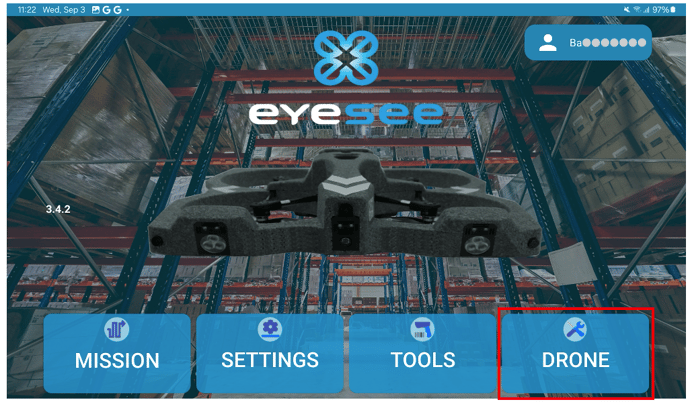
Once the red scanners are on, click on the Drones menu.
If the drone is not connected, a message will appear:
![Screenshot_20250916_135145_Eyesee[1]](https://24983242.hs-sites-eu1.com/hs-fs/hubfs/Screenshot_20250916_135145_Eyesee%5B1%5D.jpg?width=688&height=430&name=Screenshot_20250916_135145_Eyesee%5B1%5D.jpg)
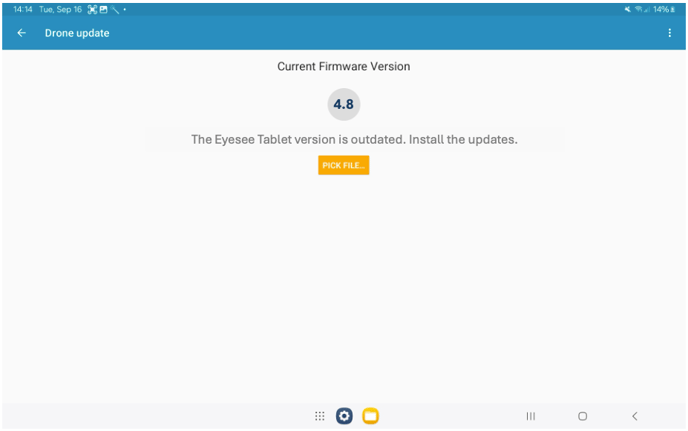
3. If the drone needs to be updated, this screen will appear:
4. Once the update is complete, turn off the drone and the Wi-Fi router, as well as the tablet if you no longer need it.